
Animate On Scroll.
Shape Divider - Style triangle
BlackVue Fleet Tracking
SIMPLE DASHCAM-BASED VEHICLE TRACKING SOLUTION WITH LIVE VIDEO.
Protect Your Vehicles. Track a Whole Fleet. Easily track fleets from 1 to 999 vehicles.
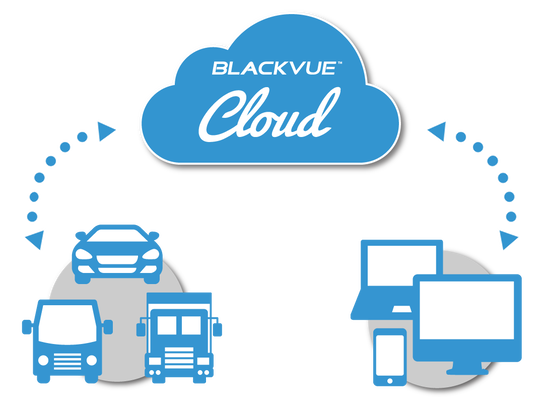
The BlackVue dashcams both protect and let you track your vehicles in real time.
All you need is a Cloud-compatible BlackVue and a Wi-Fi Internet connection in your vehicles
Protect Your Vehicles. Track a Whole Fleet. Easily track fleets from 1 to 999 vehicles.
The BlackVue dashcams both protect and let you track your vehicles in real time.
All you need is a Cloud-compatible BlackVue and a Wi-Fi Internet connection in your vehicles
The dashcam installation is a breeze. Once installed, you can enjoy:
Remote Live View
Live GPS tracking and 90-day history
Video on map
Geo-fencing with alerts
Cloud video backup, and more!
Up to 999 BlackVue dashcams can be managed from a single account.
Remote Live View
Live GPS tracking and 90-day history
Video on map
Geo-fencing with alerts
Cloud video backup, and more!
Up to 999 BlackVue dashcams can be managed from a single account.
Shape Divider - Style fan_opacity

Compatibility and Requirements
Compatibility: all Cloud-compatible BlackVue dashcams.
Requirements: a Wi-Fi connection in range of the dashcam.
Typically, a 4G/LTE mobile Wi-Fi router with active data plan should be installed in range of the
BlackVue dashboard camera in order to allow for Cloud connectivity on the go.
(Exception for LTE dashcams with built-in 4G and SIM card slot.)
LTE Dashcams
(4K UHD)
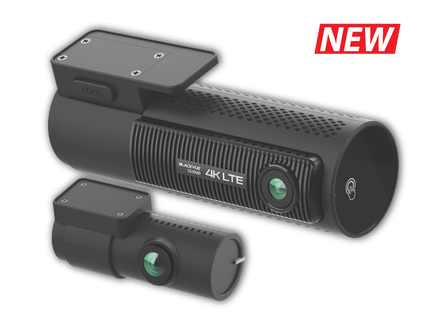
DR970X-2CH LTE
Dual-channel dashcam with built-in 4G LTE and 4K Ultra HD camera.
No need external WiFi hotspot setup to connect to cloud.
Learn more >
Dual-channel dashcam with built-in 4G LTE and 4K Ultra HD camera.
No need external WiFi hotspot setup to connect to cloud.
Learn more >
LTE Dashcams
(Full HD)
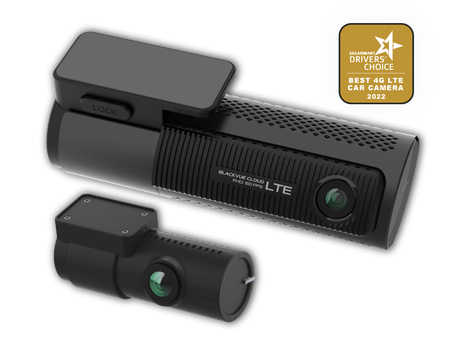
DR750X-2CH LTE Plus
Dual-channel dashcam with built-in 4G LTE and Full HD camera.
No need external WiFi hotspot setup to connect to cloud.
Learn more >
Dual-channel dashcam with built-in 4G LTE and Full HD camera.
No need external WiFi hotspot setup to connect to cloud.
Learn more >
Cloud Dashcams
(4K UHD)
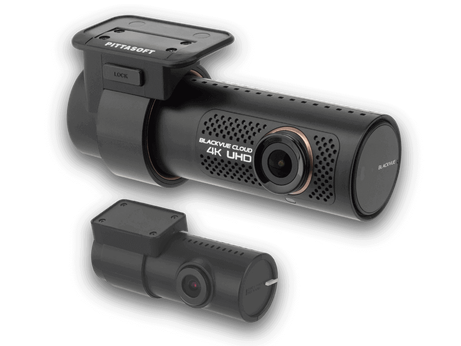
DR900X Plus Series
Single or dual-channel Cloud dashcam featuring 4K UHD front recording with built-in fast 5GHz Wi-Fi and GPS.
Learn more >
Single or dual-channel Cloud dashcam featuring 4K UHD front recording with built-in fast 5GHz Wi-Fi and GPS.
Learn more >
Cloud Dashcams
(Full HD)
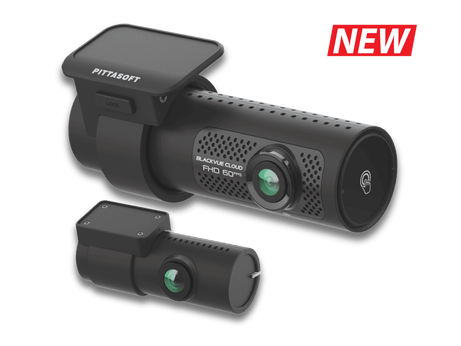
DR770X Series
Single or dual-channel Cloud dashcam with Full HD recording up to 60fps, built-in WiFi and GPS.
Learn more >
Single or dual-channel Cloud dashcam with Full HD recording up to 60fps, built-in WiFi and GPS.
Learn more >

Business Friendly Plans
BlackVue Fleet Tracking includes all the existing BlackVue Over the Cloud features, and then more, scaled to fit business needs:
• Unlimited Remote Live View
• Register up to 999 dashcams per account
• Extra Storage, Downloads and Video Playback
|
Unlimited Remote Live View Stream real-time video from any 4 BlackVue dashcams simultaneously. Bitrate: 600kbps (kilobits per second) |
Multiple BlackVue Dashcams Register up to 999 BlackVue per account. Multiple access levels: Master, Submaster and User. |
From 15GB of Cloud storage Get +15GB of Cloud storage for additional camera. + Unlimited Event Auto-upload storage. |
90-day GPS tracking History High accuracy (15 seconds), Video On Map, easy data export. |
|
Geo-fencing Create geofences (Windows Viewer only) and receive real-time notifications on your phone or PC. |
Driving Reports View at a glance total distance driven, idle time, speeding events, etc., in tables that can be printed or exported. |
Event Auto-Upload Automatically upload Event videos in real-time or when connected to a specific network |
iOS/Android Mobile App Keep an eye on your whole fleet from anywhere, anytime, with the BlackVue App. |
Unlock Exclusive BlackVue Viewer Features
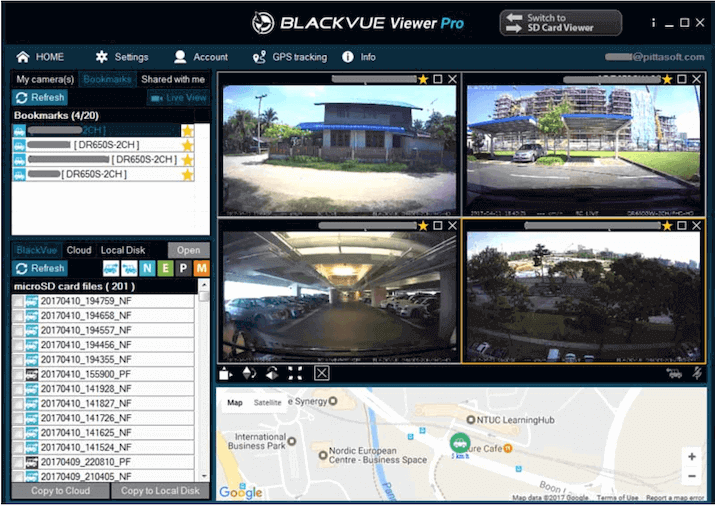
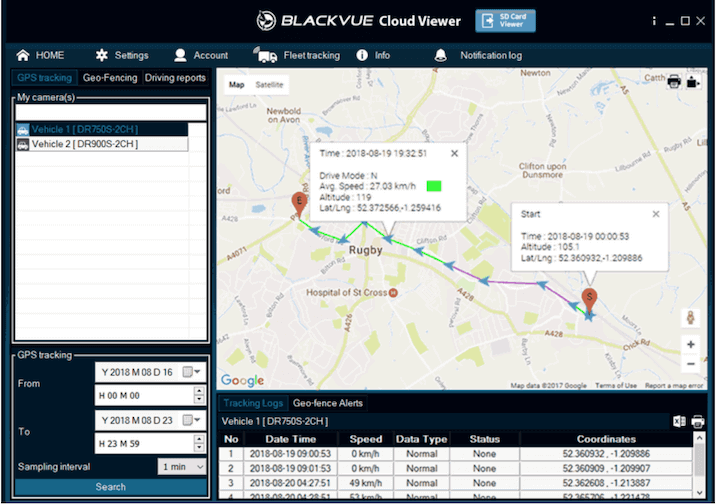
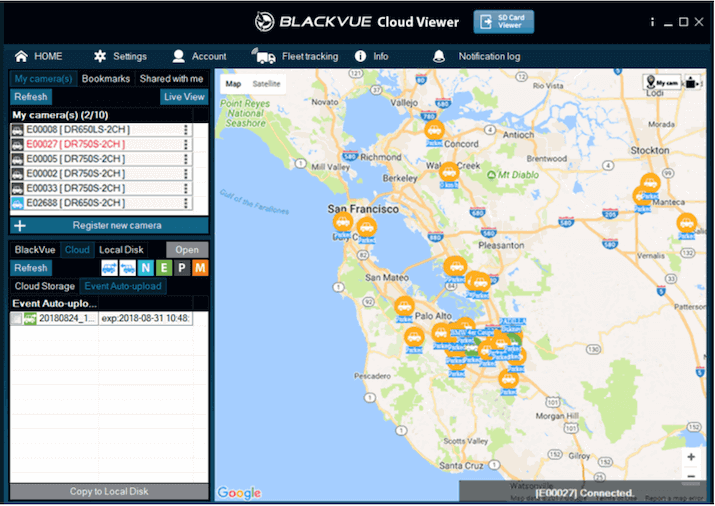
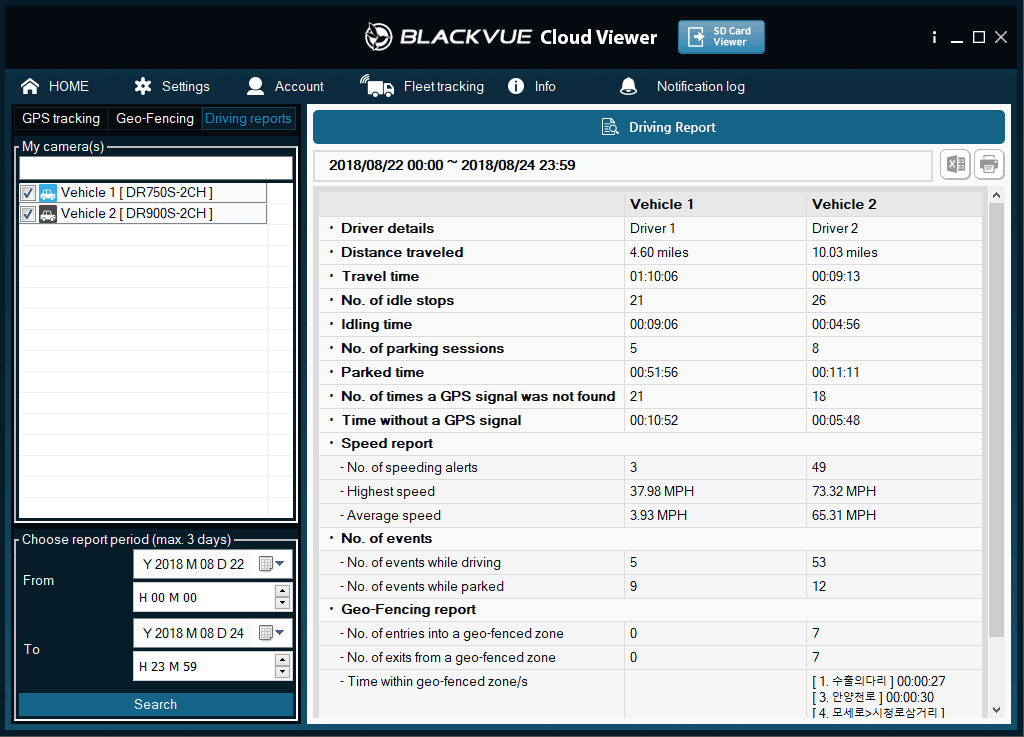
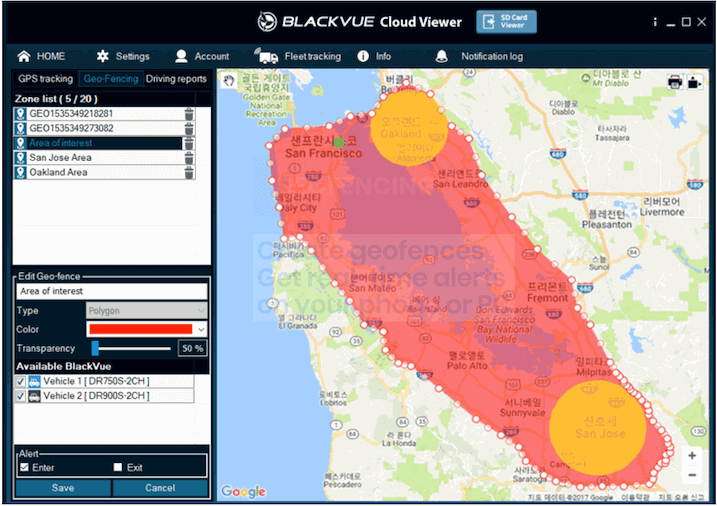
The BlackVue Viewer includes exclusive Fleet Tracking features. Log in with a BlackVue Fleet Tracking Account to enjoy:
• Multi Live View: monitor up to four dashcams simultaneously.
• GPS Tracking History: access the last 90 days’ GPS logs. Print out or export data to spreadsheet format.
• Live Notifications: impact, disconnection, geo-fence alerts sent to your phone or PC*.
• Driving Reports: view key driving data of multiple vehicles side by side, print out or export to spreadsheet format.
• Geo-fencing: create geo-fences and receive real-time alerts.
Important:
• You must log in with an active BlackVue Fleet Tracking Account to unlock these features.
• GPS Tracking History and Geo-Fencing are currently not available on the BlackVue Mac Viewer.
• *The Live Notifications are sent to whichever device you last logged in with.
Discover our Cloud Plans
*: subscribe to a Fleet Plan on blackvuecloud.com
**: Free and Smart Plans: DR650GW, DR650S Series only. Fleet Plan: all Cloud dashcams.
***: compatible with DR750S and DR900S Series models.
(updated on 14 Sep 2023)
**: Free and Smart Plans: DR650GW, DR650S Series only. Fleet Plan: all Cloud dashcams.
***: compatible with DR750S and DR900S Series models.
(updated on 14 Sep 2023)
Contact us now and understand more how we can help your business!
• Remote Live View
Network data is used only when you activate Remote Live View, Remote Backup and Playback.
Push notifications consumes very low data which can be ignored. If you are near to your BlackVue, you can always use the direct WiFi connection instead of Cloud service.
When you access Remote Live View from your BlackVue dashcam over the Cloud, your dashcam streams data to the Cloud server, which is then sent to your device. Use the table below to assess your data needs, based on your Live View usage estimate.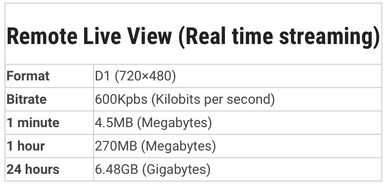
• Backup/ Playback
Unlike Remote Live View, which uses a video feed optimized for streaming, Video Backup and Playback use the original video files stored by the dashcam on the microSD card.
You can use the table below to get an understanding of the amount of data needed to back up video files or play back a recorded video.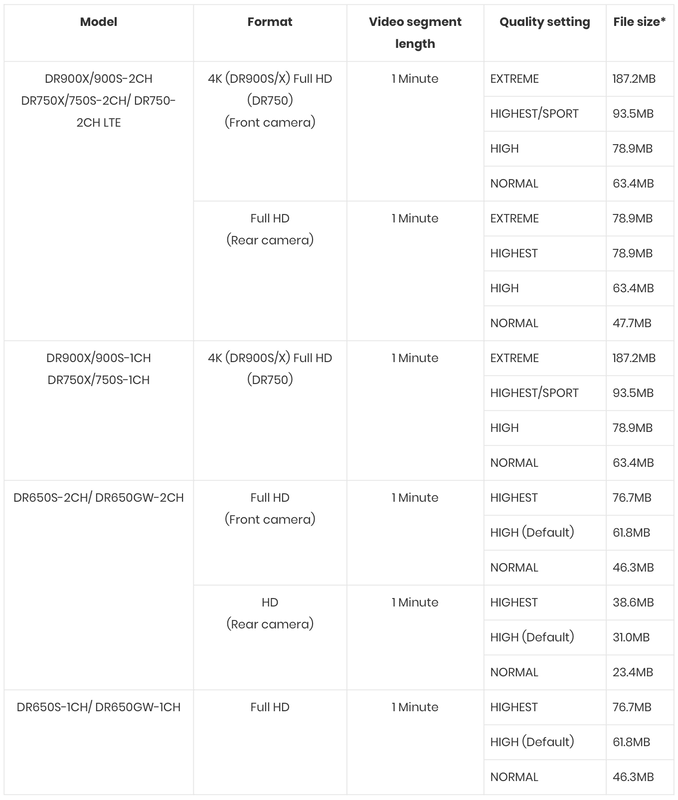 Note: Actual file size may differs slightly.
• Live Auto-Upload
Live Auto-Upload saves a real-time video feed from one of your cameras (front or rear/interior) to the Cloud in case of Event (Manually triggered or triggered by the impact sensor). This allows to keep some evidence even in case of theft, as the camera saves the Event to the Cloud in real time in addition to the full resolution video saved on the microSD card.- 1. Do I need a WiFi hotspot for Cloud dashcam?The BlackVue cloud series dashcams (DR900X/ DR750X/ DR900S/ DR750S / DR650S) can support connection to any WiFi hotspot which include your smartphone, mobile router or in-car imbedded internet. If your car is parked nearby your home or office, you can make use of the accessible WiFi hotspot. When your car leaves these premises, WiFi connection will be unavailable. To take the best advantage of BlackVue Cloud - including the Parking Mode Push Notifications, the use of dedicated mobile router is recommended.
Exception for DR750-2CH LTE which comes with built-in 4G LTE*, which no need external WiFi hotspot setup for cloud connectivity.Please refer to item 10 below on step by step guide on how to setup a hotspot to your BlackVue Cloud dashcam.
* SIM card is not included2. Do I need a SIM card in the car?If you want to constantly monitoring your car, setting up a mobile router in the car is one of the best options and with SIM card to be inserted inside the mobile router. Exception for DR750-2CH LTE which comes with built-in nano-SIM card tray enable 4G SIM card to be inserted directly to the dashcam.3. What type of mobile router which is compatible for the cloud service?We had tested many mobile routers before the launch. To have faster and stable connectivity, we recommend using 4G/ LTE mobile router and we have the Car WiFi Kit which is fully compatible. For new X series, it support easier setup by just plugging in the optional LTE connectivity module.4. How can I hardwired the mobile router to ensure hassle free operation?We are offering the Car WiFi Kit which is compatible for BlackVue over the Cloud. This kit includes the 4G/ LTE Car WiFi Dongle, Power Supply Kit and installation service.
If you need parking mode option, Car WiFi Kit will be connected to the Power Magic Pro or Cellink B battery which means your BlackVue will always stays connected to the Cloud even your car is parked.5. How to get the SIM card?Please check with your telco for the availability of the additional SIM card and subscription. You can always apply additional SIM card to share the data from your current handphone line subscription.6. How does the push notification works?User can set the type of push notifications using the BlackVue app. Options are event notification for driving or parking, overspeed notification, entering or escaping the parking mode, motion detection notifications and etc. If you set the notification for event while in parking mode, BlackVue will send the push notification immediately to your smartphone upon detecting an impact.7. How to upgrade the Cloud plan?
In the BlackVue app, tap the hamburger icon (3 horizontal lines) in the top-left corner, then select Upgrade Plan.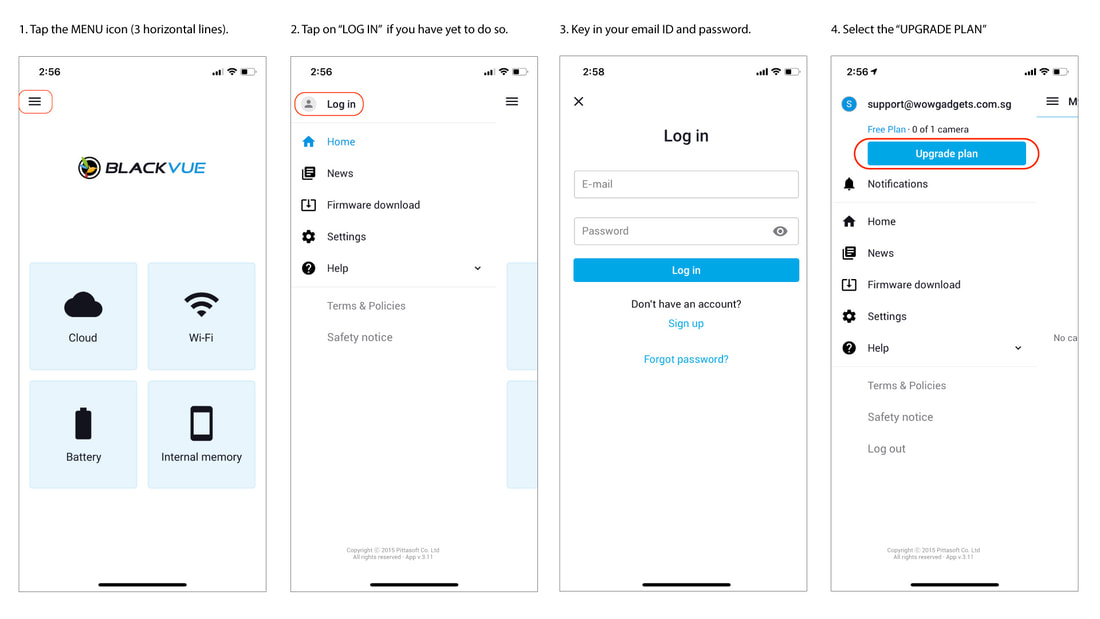 Discover the available plans here >.
If you would like to upgrade to a Fleet Plan, visit www.blackvuecloud.com (Fleet Plan lets you manage up to 999 dashcams and access exclusive BlackVue Fleet Tracking features).
Want to check your account info?
In the BlackVue app, tap the icon in the top-left corner, log into your account if you are not already and then tap on your email address to open the Account settings screen, then select Account info.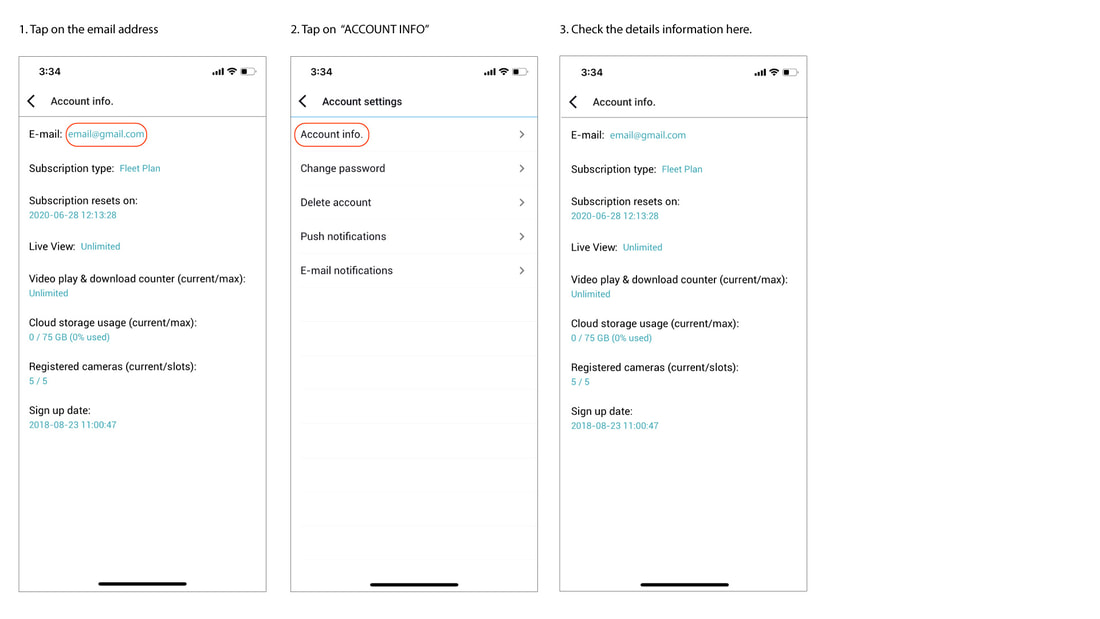 8. How to determine if my BlackVue is compatible?Basically, all our cloud dashcam models which include DR750-2CH LTE, DR900X and DR900S, DR750X Plus, DR750X and DR750S and DR650S series.
For DR650GW series, to find out more about the compatibility, please check out here.
Updated on 6 May 20219. Where to find Cloud QR code?On DR900X/750X/900S/750S/DR750-2CH LTE models, the QR code to register your BlackVue to the Cloud is located on a label under the mount. To unmount your dashcam, press the "LOCK" button on the mount and pull on the dashcam while holding the mount.
For earlier models, the QR code is visible and located on the mount holder or the dashcam's body.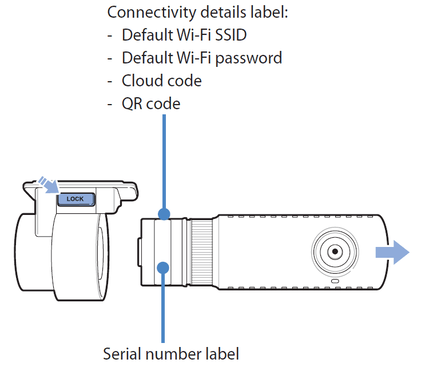
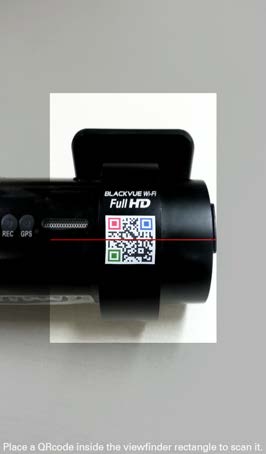 If your device does not have a QR code on it, or you lost or removed your QR code sticker, you will need a Cloud security code.
In order to get your Cloud security code, please follow the steps in the section above: “HOW TO DETERMINE IF MY BLACKVUE IS COMPATIBLE?”10. How to connect BlackVue Cloud dashcam to a hotspot?In order to enjoy BlackVue Cloud, you must set up your BlackVue to connect to a Wi-Fi hotspot/router. This hotspot can be your home Wi-Fi, a mobile Wi-Fi hotspot or your car’s embedded connection. Once you are done, you will be able to use your BlackVue Cloud account to connect to your BlackVue from anywhere, anytime.
With the BlackVue App:- Power your BlackVue dashcam.
- Power the Wi-Fi hotspot/router you will pair with your BlackVue.
- Connect to your BlackVue in Wi-Fi from your phone's Wi-Fi settings menu.
- Open the latest version of the BlackVue App.
- Go to BLACKVUE WI-FI > Camera settings (Gear icon) > Firmware settings > Cloud settings > Cloud service hotspot settings > Select your Wi-Fi hotspot/router which should appear in the list and fill in the password. Alternatively, you can enter manually the router's SSID (network name) and password. You can register up to 3 Wi-Fi hotspots.
- Go back until prompted to save and choose save to apply the changes to your dashcam.
With the BlackVue Viewer:- Take out the microSD card from your BlackVue dashcam and insert it in your computer (you might need a SD card adapter or microSD USB reader).
- Open the BlackVue Viewer.
- Click on Settings.
- Click on the Firmware tab.
- Click on Cloud.
- Enter your hotspot/router's SSID (network name) and password (you can register up to 3 hotspots).
- Click "Save and Close"
11. Does all the files recorded with the dashcam to be uploaded to the Cloud?The primary storage of the dashcam is the microSD card. Only selected files such as event or manually selected files is to be uploaded to the Cloud storage (settings dependant) as a secondary storage.12. Will the files copied to the Cloud storage be deleted?Files manually copied to the Cloud will be stored on the servers for up to 90 days. As for the files automatically uploaded via Event File Auto Upload, they will be kept up to 7 days. After the period stated, they will automatically be deleted from the servers. Please backup any videos you want to keep to your smartphone or computer.





Disclaimer:
Since "BlackVue Over the Cloud" (cloud service) connection is depending on the wireless network (3G/ 4G/ WiFi), we cannot guarantee that the coverage is available all the time, there could be loss of connectivity at some area or period. Anyway, our cloud service has the option to notify the users when network connection or disconnection occurs.
Since "BlackVue Over the Cloud" (cloud service) connection is depending on the wireless network (3G/ 4G/ WiFi), we cannot guarantee that the coverage is available all the time, there could be loss of connectivity at some area or period. Anyway, our cloud service has the option to notify the users when network connection or disconnection occurs.
- Cloud-Native
Built-in 4G and SIM card slot to make it easier for you and your car to stay connected anywhere anytime.
Available in dual-camera only. DR970X-2CH LTE PLUS
4K Ultra HD | Built-in WiFi and GPS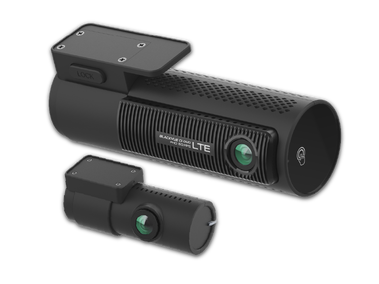 DR770X-2CH LTE
Full HD | Built-in WiFi and GPS - Cloud-compatible
Reliable cloud compatible dashcams, just connect to a wifi hotspot or LTE module to stay connected.
Available in single and dual-camera.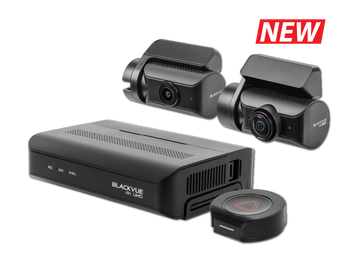 DR970X BOX PLUS
4K Ultra HD | Built-in WiFi and GPS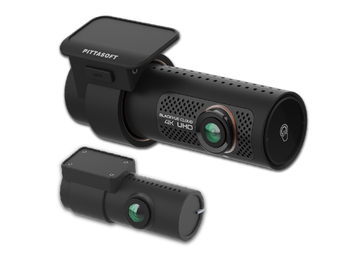 DR970X Series
Full HD @60fps | Built-in WiFi and GPS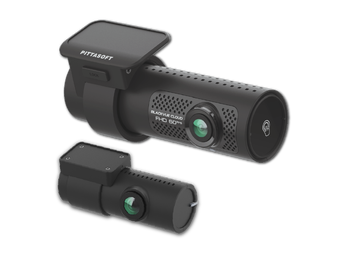 DR770X
Full HD @60fps | Built-in WiFi and GPS - WiFi
Simple yet reliable dashcam in a compact body which also support the intuitive BlackVue App.
Available in single and dual-camera.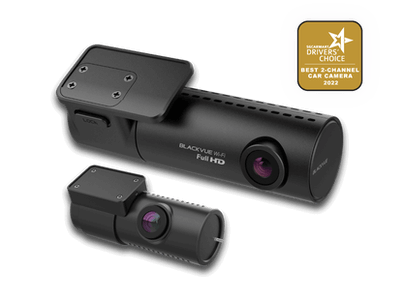 DR590X Series
Full HD | Built-in WiFi - Dashcams with external waterproof and/or inward-facing camera. Also available AI-powered camera to detect drowsiness and distractions of driver.
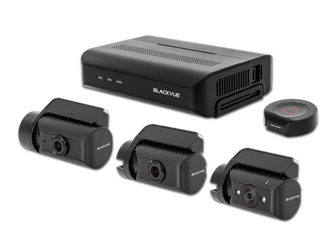 DR770X Box
Secure Box Design
Triple-camera | All Full HD
Cloud-compatible | Built-in WiFI and external GPS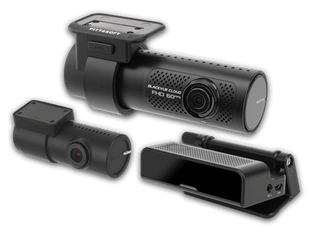 DR750X-3CH Plus
With AI Driver Monitoring Camera (DMS)
Triple-camera | Full HD - Full HD - HD
Cloud-compatible | Built-in WiFI and GPS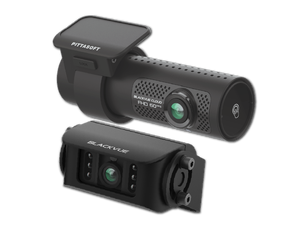 DR770X-2CH Truck
With external waterproof camera for heavy vehicles
Dual-camera | Full HD | Cloud compatible
Built-in WiFi and GPS |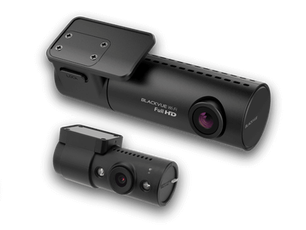
- Cloud connectivity
For cloud-compatible dashcams.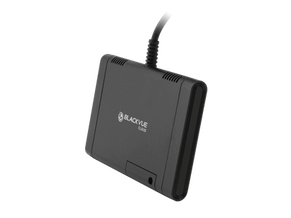 LTE Connectivity Module >
Easy connectivity for selected Cloud-compatible dashcams via USB port.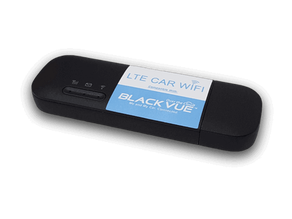
- More accessories
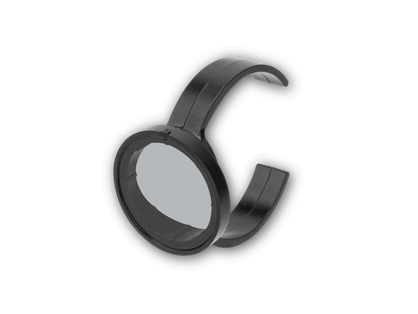
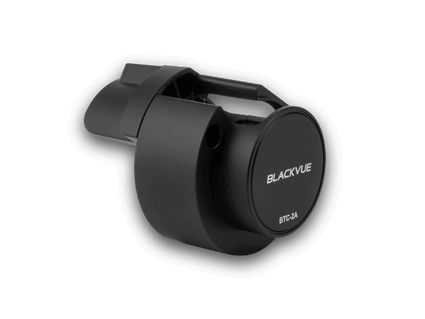
 Tamper-proof cases
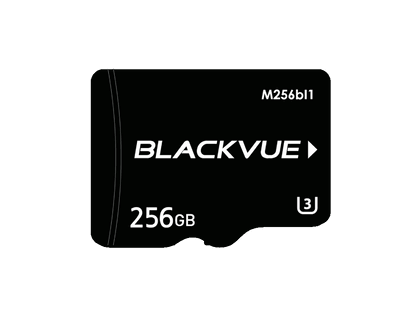
Block access to cable connectors and microSD slotMemory cards >
Compatible microSD for BlackVue dashcams
ME AND MY CAR. CONNECTED.
BlackVue Cloud is the industry-leading cloud service established since 2015. Push Notifications, real-time video and GPS-tracking, Event Files Upload (Cloud backup), the possibilities are endless. BlackVue Cloud is all about using your dashcam to its full potential, so that you and your car are always connected.
Discover the features, plans and compatible cameras.
BlackVue Cloud is the industry-leading cloud service established since 2015. Push Notifications, real-time video and GPS-tracking, Event Files Upload (Cloud backup), the possibilities are endless. BlackVue Cloud is all about using your dashcam to its full potential, so that you and your car are always connected.
Discover the features, plans and compatible cameras.
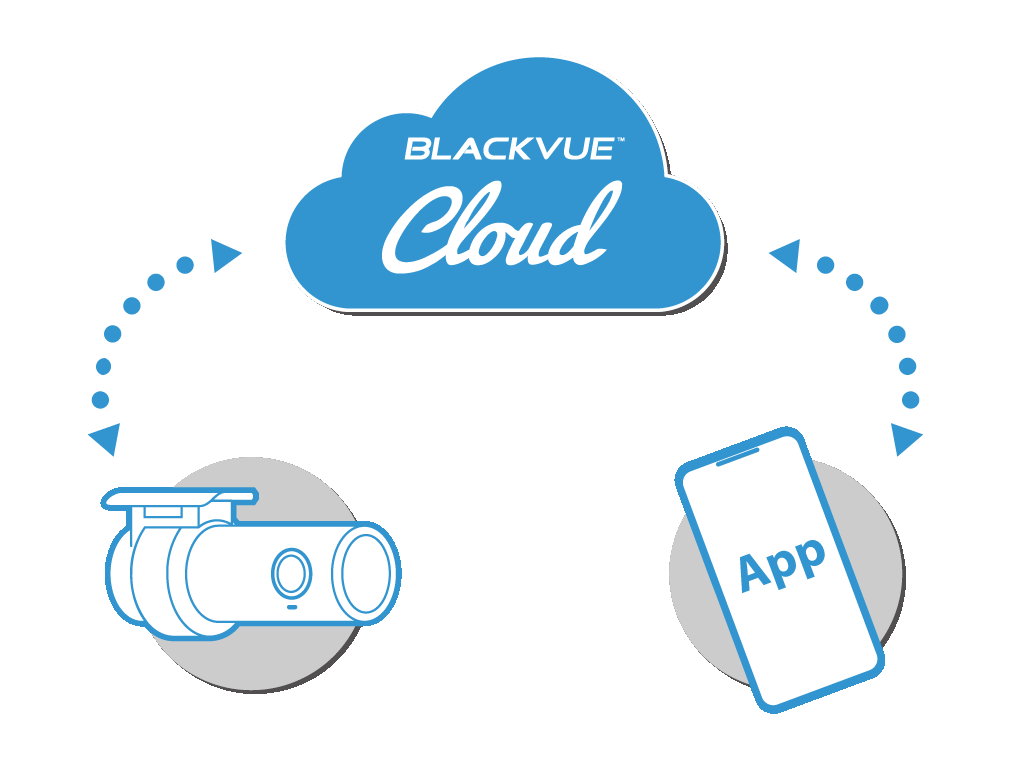
• For individuals
To connect up to 3 dashcams
To connect up to 3 dashcams
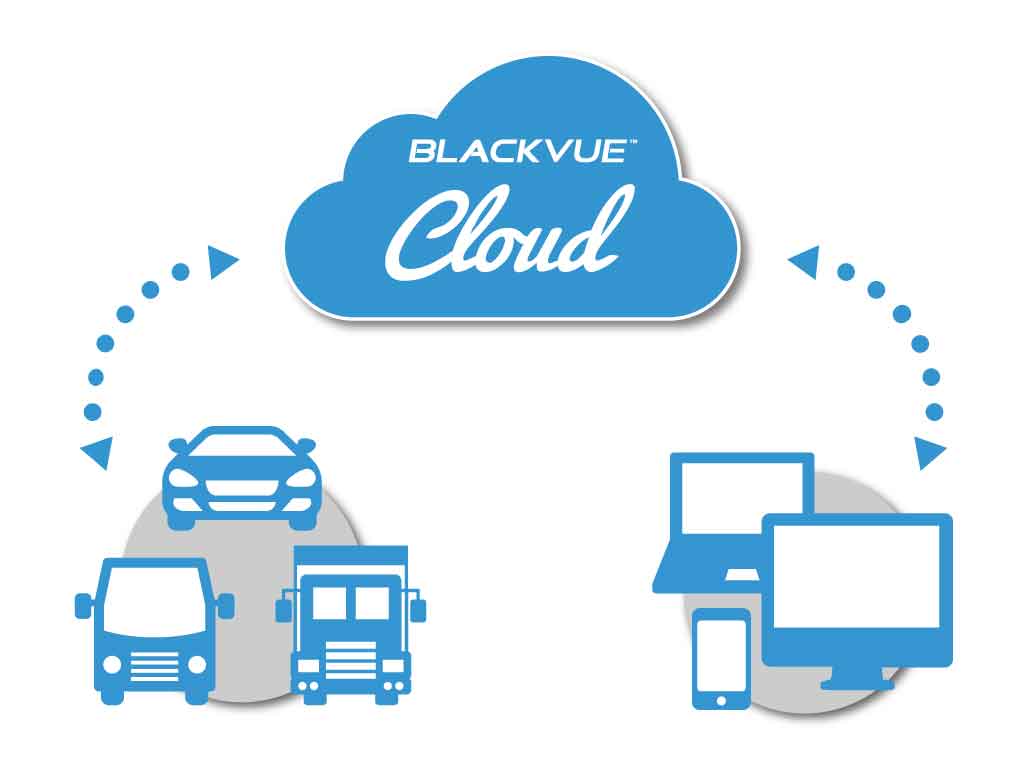
• For businesses
To connect up to 999 dashcams
To connect up to 999 dashcams


BlackVue Service Centre
8, Boon Lay Way,
#04-02,
Singapore 609964
Weekdays | 9am to 6pm (lunch break 12:30pm to 1:30pm)
Saturdays | 9am to 1pm
Hotline: 61009691
Technical: [email protected]
Sales/ General: [email protected]
8, Boon Lay Way,
#04-02,
Singapore 609964
Weekdays | 9am to 6pm (lunch break 12:30pm to 1:30pm)
Saturdays | 9am to 1pm
Hotline: 61009691
Technical: [email protected]
Sales/ General: [email protected]

WOW! GADGETS PTE LTD © COPYRIGHT 2024. All Rights Reserved. Terms of Use.