FAQ
Due to the popularity of Black Vue, please BEWARE OF IMITATION AND UNAUTHORIZED PRODUCTS!
Here are some examples to spot them, if you are still in doubt, please feel free to contact us for verification.
Imitation versus Original
TEMPERED SERIAL NUMBER
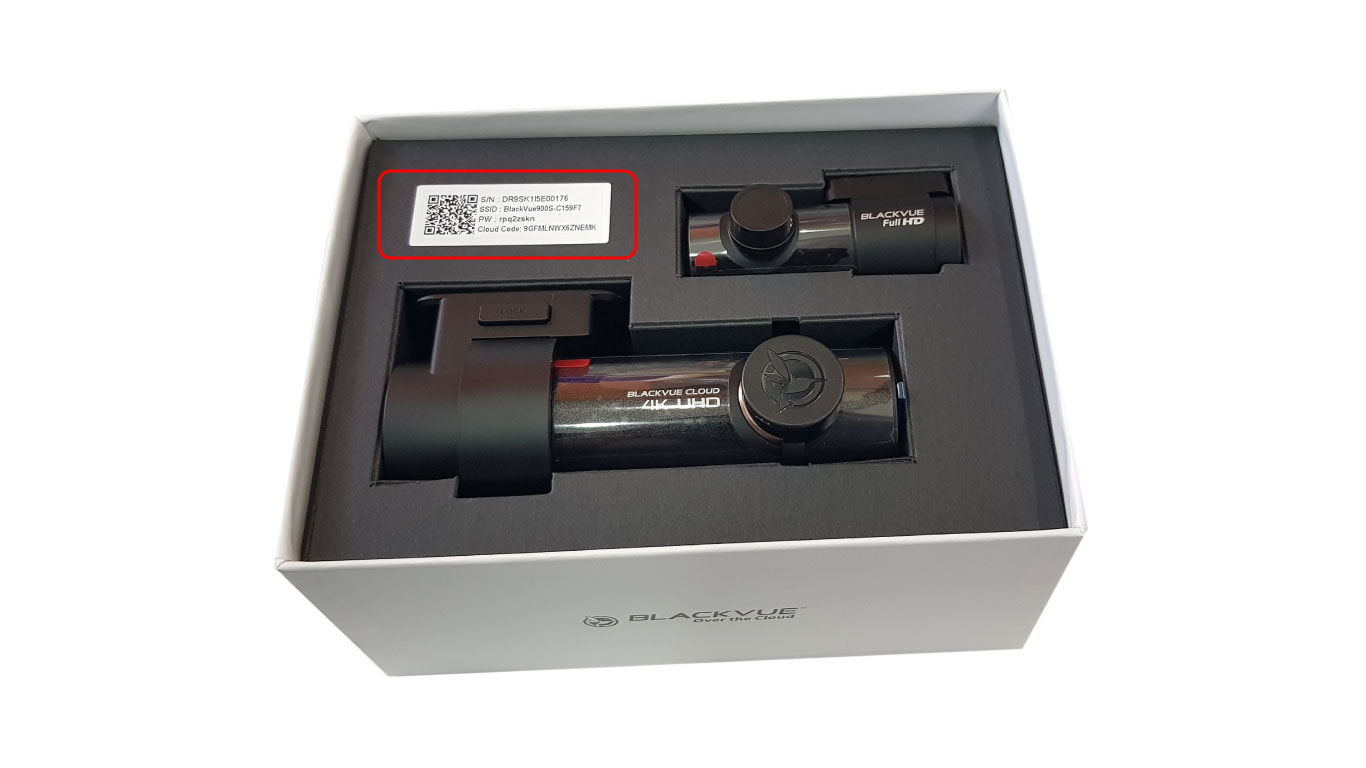
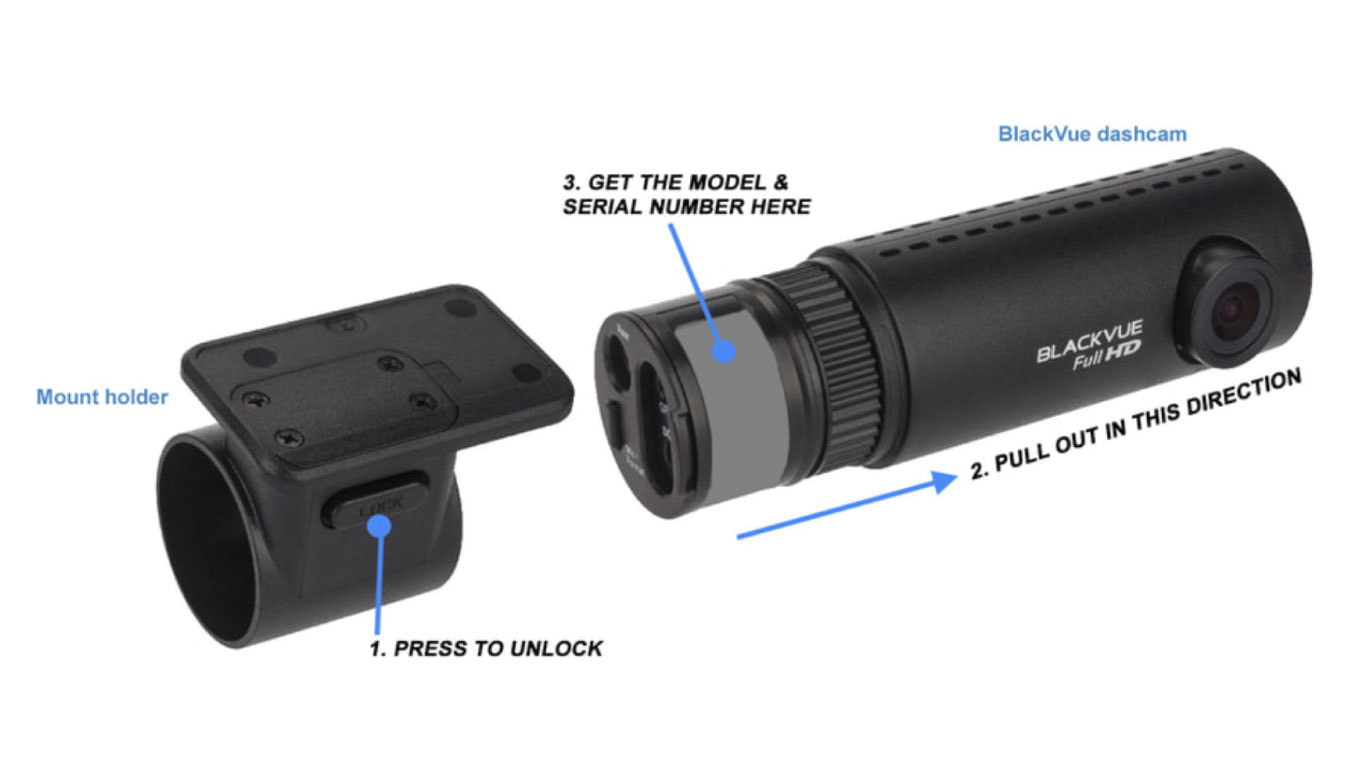
These are unauthorized products with tempered serial number on the packing and Black Vue's body.
|
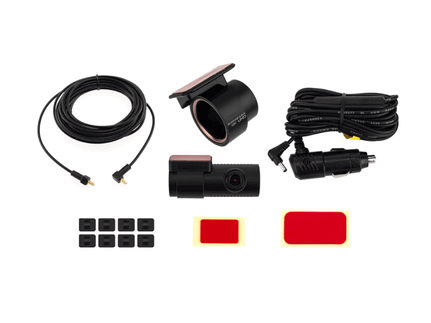
1) What are the accessories that come with the BLACK VUE package? a) SanDISK 4GB microSD card (with software and softcopy manual) x 1 b) USB adapter for SD card x 1 c) SD card adaptor for microSD card x 1 d) Spare double sided tape x 1 e) Cable clips x 6 f) Power cable x 1 g) AV out cables x 2 h) English manual x 1 i) Black Vue Authorized Warning decal x 1 j) Marker sticker for lens angle adjustment x 2 |
2) What's the main difference between a normal car camera recorder and BLACK VUE Vehicle Black Box?
In general, car camera is just camera system to record video and audio. Some may need to press the button manually to start or stop recording.
BLACK VUE has more features to offer beside just the video and audio recording:
a) Automatic hassle free recording, recording upon starting the engine and stops upon engine off.
b) AUTO Parking Mode with motion detection for surveillance recording (unique feature of BLACK VUE).
c) G sensors to indicate the direction of force/impact.
d) PC software included to easily analyze or view recorded files and to change various settings.
e) Categorize the recording files to Normal, Parking and Event recording for easy search.
f) Speed and direction information for more detail analysis report (with GPS model).
g) Better file size compression technology for more efficient memory storage.
3) What is the maximum recording length with the default 4GB micro SD card?
Allowable recording time varies from 4 to 8 hours depending on the setting for image quality, The recorder can support up to 16GB memory card (CLASS 4) for recording length from 16 to 32 hours. When the memory is full, it will overwrite the oldest file automatically.
4) What is the maximum length of the recorded file per clip?
Maximum length is 10 minutes per clip and default setting is 5 minutes per clip.
5) What is the recommended memory card that is compatible with BLACK VUE?
We recommend only SANDISK CLASS 4 or higher. Other brand may cause problem and instability issue.
In general, car camera is just camera system to record video and audio. Some may need to press the button manually to start or stop recording.
BLACK VUE has more features to offer beside just the video and audio recording:
a) Automatic hassle free recording, recording upon starting the engine and stops upon engine off.
b) AUTO Parking Mode with motion detection for surveillance recording (unique feature of BLACK VUE).
c) G sensors to indicate the direction of force/impact.
d) PC software included to easily analyze or view recorded files and to change various settings.
e) Categorize the recording files to Normal, Parking and Event recording for easy search.
f) Speed and direction information for more detail analysis report (with GPS model).
g) Better file size compression technology for more efficient memory storage.
3) What is the maximum recording length with the default 4GB micro SD card?
Allowable recording time varies from 4 to 8 hours depending on the setting for image quality, The recorder can support up to 16GB memory card (CLASS 4) for recording length from 16 to 32 hours. When the memory is full, it will overwrite the oldest file automatically.
4) What is the maximum length of the recorded file per clip?
Maximum length is 10 minutes per clip and default setting is 5 minutes per clip.
5) What is the recommended memory card that is compatible with BLACK VUE?
We recommend only SANDISK CLASS 4 or higher. Other brand may cause problem and instability issue.
|
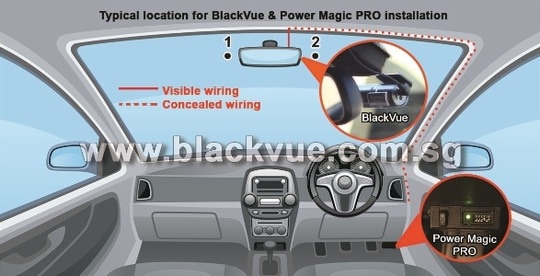
6) What is the standard installation package? Standard installation includes: a) Fixing the recorder to the wind screen b) Access the fuse box or wiring for power source tapping to Black Vue. c) Concealed wiring from the recorder to the power source, we will not use the existing external charger outlet. d) Adjust the best camera angle with the monitor screen. |
|
7) Can I have the recorder keeps recording during parking even after I had stopped the engine?
For this case, the recorder needs to be connected directly to the battery source (permanent supply of power to the recorder). Recorder will drain the car battery and battery maybe too weak to start the car if the car is parked for a long period of time.
We have two options to resolve this issue:
a) Connect an extra switch to power ON/ OFF the recorder, this will be charged separately. If you are leaving for oversea, please switch the recorder OFF.
b) Purchase the option accessory, Power Magic/ Power Magic PRO, this is a device to prevent the draining of car battery. This device will monitor the car battery, if the voltage drops to certain value, it will cut off the power to recorder automatically. This device also serves as a timer, when the time lapsed, it will stop the recording automatically.
8) What is the typical installation time needed?
Estimated 30 to 40 minutes.
9) What is the purpose of “Parking Mode”?
When “Parking Mode” is activated, the recorder will only record to memory card when “SHOCK” or “MOTION” detected. Parking mode will save the memory space. Scene recorded is 30 seconds before and after the “shock” or “motion” detected, so actually the recorder is always recording to the buffer memory but will only save to memory card when needed.
Sensitivity for the motion and shock detection can be adjusted from the PC software by the user. There is individual setting for shock sensitivity during Parking Mode for “Up/Down” , “Left/Right” and “Front/Back” detections.
10) How can I activate the “Parking Mode”?
There are two options:
a) During normal recording, push the side button once, the recorder will announce (voice guide)“Parking Mode enabled”. You can switch back to normal recording with another press on the button.
b) Set the “AUTOMATIC” PARKING MODE to ON by the PC software. With this option, as long there is power to the recorder, it will always record but will switch to “Parking Mode” automatically when there is no motion detected.
11) What is the “Event Recording”?
Event recording will be activated if there is shock detected above the allowable threshold setting by the 3-axis built in G-sensors. The recorder will keep on recording while driving but when shock is detected, it will activate the file as “Event recording” hence this file can be managed as protected file by the software configuration (this will delay the overwritten of file automatically). In the PC software, you can identify the file for Event Recording easily, hence able to speed up the search of any suspected events.
Sensitivity for the shock detection can be adjusted individually for Up/Down, Left/Right and Front/Back during normal recording. Separate adjustment is configurable for “Parking Mode”.
12) I found that my tinted film on the wind screen is darker than normal and frequently park at dark condition, will this affected the recording?
The brightness for the recording condition is adjustable by PC software. BLACK VUE™ comes with user friendly PC software and flexible configuration for many functions.
13) I normally park my car at open car park. Can BLACK VUE sustains the heat of our hot weather?
We brought in BLACK VUE to Singapore since September 2010, it is tested with proven reliability and stability.
14) What is the warranty period for BLACK VUE?
We offer 12 months warranty from the date of purchase.
15) Can I purchase the product without installation?
Yes you can but we do not recommend it as we want to provide the best result with the installation by our professional installers and dealers.
16) Any camera with permanent power source connected can perform surveillance/parking recording. What is the difference if I use the Black Vue?
a) Lower power consumption (below 2.0 Watt) which means your car battery will not be drained in a short period of recording.
b) If you worry about battery draining, we can connect the option for Power Magic, the battery draining prevention device.
c) Good video compression technology, MP4 with H264 codec recorded video file size is smaller than normal AVI. Memory card can record more video before overwritten. With just 8GB of memory card, Black Vue can record up to 16 hours of continuous video. Black Vue can support up to 16GB of memory size (or up to 32 hours of continuous video recording)
d) Black Vue is equipped with patented motion detection, it will record 30 seconds of video to memory card PRIOR to motion or impact been detected. These files will be categorized as EVENT or PARKING file, if manage by PC software, these files can be protected and prolonged before overwritten.
Some competitor products only activate the actual recording after the motion been detected, hence there is significant delay for the actual video been recorded and may miss out the evidence needed. Some other product will just record continuously regardless if there is any activity, hence it is a hassle to go through all the unnecessary recorded files and worst case, the memory size may not be sufficient and important evidence maybe overwritten.
f) Black Vue has unique parking mode, it is smart to know when the vehicle is parked and driven, hassle free automatic switching between NORMAL and PARKING mode, no need to press any button! Auto Parking mode with motion detection helps to manage the memory space more efficiently and it is recording with smooth 30 fps.
16) Is the motion detection feature reliable?
Black Vue is equipped with Patented Motion Detection Technology which proven effective and reliable. The following video was recorded due to motion been detected while in PARKING mode. Watch closely, the center pole moves slightly (12th seconds of playback time) due to strong wind and BLACK VUE is able to detect it! (Note: 30 seconds of video prior to this motion has been recorded. We had edited & shortened the front part of this video for this presentation). The sensitivity of motion detection can be adjusted by user with the PC software. Black Vue is always your reliable eyewitness even even when you are away from your vehicle.
17) Vandal may comes from the side, how can I be sure that the side is covered?
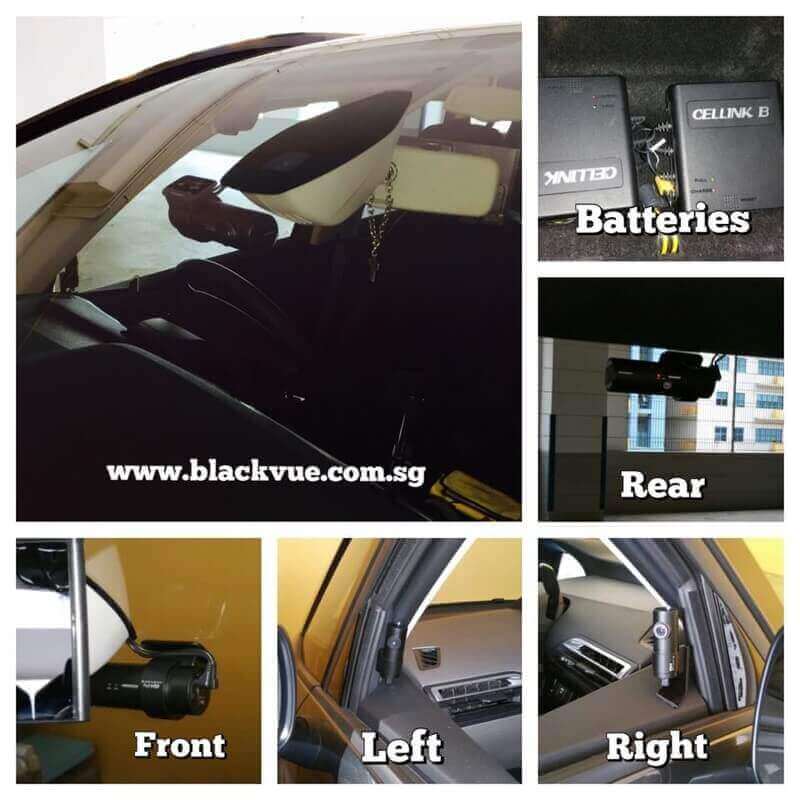
For side coverage, our professional installer can fix it on the side door frame. With the small size, it is not easy to spot on. The LED indicator can be switched off for complete surveillance. Please refer to the photos below here.
For this case, the recorder needs to be connected directly to the battery source (permanent supply of power to the recorder). Recorder will drain the car battery and battery maybe too weak to start the car if the car is parked for a long period of time.
We have two options to resolve this issue:
a) Connect an extra switch to power ON/ OFF the recorder, this will be charged separately. If you are leaving for oversea, please switch the recorder OFF.
b) Purchase the option accessory, Power Magic/ Power Magic PRO, this is a device to prevent the draining of car battery. This device will monitor the car battery, if the voltage drops to certain value, it will cut off the power to recorder automatically. This device also serves as a timer, when the time lapsed, it will stop the recording automatically.
8) What is the typical installation time needed?
Estimated 30 to 40 minutes.
9) What is the purpose of “Parking Mode”?
When “Parking Mode” is activated, the recorder will only record to memory card when “SHOCK” or “MOTION” detected. Parking mode will save the memory space. Scene recorded is 30 seconds before and after the “shock” or “motion” detected, so actually the recorder is always recording to the buffer memory but will only save to memory card when needed.
Sensitivity for the motion and shock detection can be adjusted from the PC software by the user. There is individual setting for shock sensitivity during Parking Mode for “Up/Down” , “Left/Right” and “Front/Back” detections.
10) How can I activate the “Parking Mode”?
There are two options:
a) During normal recording, push the side button once, the recorder will announce (voice guide)“Parking Mode enabled”. You can switch back to normal recording with another press on the button.
b) Set the “AUTOMATIC” PARKING MODE to ON by the PC software. With this option, as long there is power to the recorder, it will always record but will switch to “Parking Mode” automatically when there is no motion detected.
11) What is the “Event Recording”?
Event recording will be activated if there is shock detected above the allowable threshold setting by the 3-axis built in G-sensors. The recorder will keep on recording while driving but when shock is detected, it will activate the file as “Event recording” hence this file can be managed as protected file by the software configuration (this will delay the overwritten of file automatically). In the PC software, you can identify the file for Event Recording easily, hence able to speed up the search of any suspected events.
Sensitivity for the shock detection can be adjusted individually for Up/Down, Left/Right and Front/Back during normal recording. Separate adjustment is configurable for “Parking Mode”.
12) I found that my tinted film on the wind screen is darker than normal and frequently park at dark condition, will this affected the recording?
The brightness for the recording condition is adjustable by PC software. BLACK VUE™ comes with user friendly PC software and flexible configuration for many functions.
13) I normally park my car at open car park. Can BLACK VUE sustains the heat of our hot weather?
We brought in BLACK VUE to Singapore since September 2010, it is tested with proven reliability and stability.
14) What is the warranty period for BLACK VUE?
We offer 12 months warranty from the date of purchase.
15) Can I purchase the product without installation?
Yes you can but we do not recommend it as we want to provide the best result with the installation by our professional installers and dealers.
16) Any camera with permanent power source connected can perform surveillance/parking recording. What is the difference if I use the Black Vue?
a) Lower power consumption (below 2.0 Watt) which means your car battery will not be drained in a short period of recording.
b) If you worry about battery draining, we can connect the option for Power Magic, the battery draining prevention device.
c) Good video compression technology, MP4 with H264 codec recorded video file size is smaller than normal AVI. Memory card can record more video before overwritten. With just 8GB of memory card, Black Vue can record up to 16 hours of continuous video. Black Vue can support up to 16GB of memory size (or up to 32 hours of continuous video recording)
d) Black Vue is equipped with patented motion detection, it will record 30 seconds of video to memory card PRIOR to motion or impact been detected. These files will be categorized as EVENT or PARKING file, if manage by PC software, these files can be protected and prolonged before overwritten.
Some competitor products only activate the actual recording after the motion been detected, hence there is significant delay for the actual video been recorded and may miss out the evidence needed. Some other product will just record continuously regardless if there is any activity, hence it is a hassle to go through all the unnecessary recorded files and worst case, the memory size may not be sufficient and important evidence maybe overwritten.
f) Black Vue has unique parking mode, it is smart to know when the vehicle is parked and driven, hassle free automatic switching between NORMAL and PARKING mode, no need to press any button! Auto Parking mode with motion detection helps to manage the memory space more efficiently and it is recording with smooth 30 fps.
16) Is the motion detection feature reliable?
Black Vue is equipped with Patented Motion Detection Technology which proven effective and reliable. The following video was recorded due to motion been detected while in PARKING mode. Watch closely, the center pole moves slightly (12th seconds of playback time) due to strong wind and BLACK VUE is able to detect it! (Note: 30 seconds of video prior to this motion has been recorded. We had edited & shortened the front part of this video for this presentation). The sensitivity of motion detection can be adjusted by user with the PC software. Black Vue is always your reliable eyewitness even even when you are away from your vehicle.
17) Vandal may comes from the side, how can I be sure that the side is covered?
For side coverage, our professional installer can fix it on the side door frame. With the small size, it is not easy to spot on. The LED indicator can be switched off for complete surveillance. Please refer to the photos below here.
|
|
|
Copyright 2011 Wow! Gadgets. All rights reserved Terms Of Use